Case study
Ember Kitchen
A restaurant ordering app with a customer side and a kitchen order board: order ahead, follow your food from grill to door, and run service from the same app.
- Type
- Client project
- Platforms
- iOS, Android and web
- Stack
- Expo, TypeScript, Supabase, React Query
- Scope
- Customer app, kitchen board, insights
The problem
Marketplaces take the margin and the customer.
Independent restaurants pay high commissions to delivery marketplaces and lose the direct relationship with their customers. Their own ordering is often a phone line or a clunky web form, and the kitchen works from paper tickets.
The solution
A branded app for the customer and the kitchen.
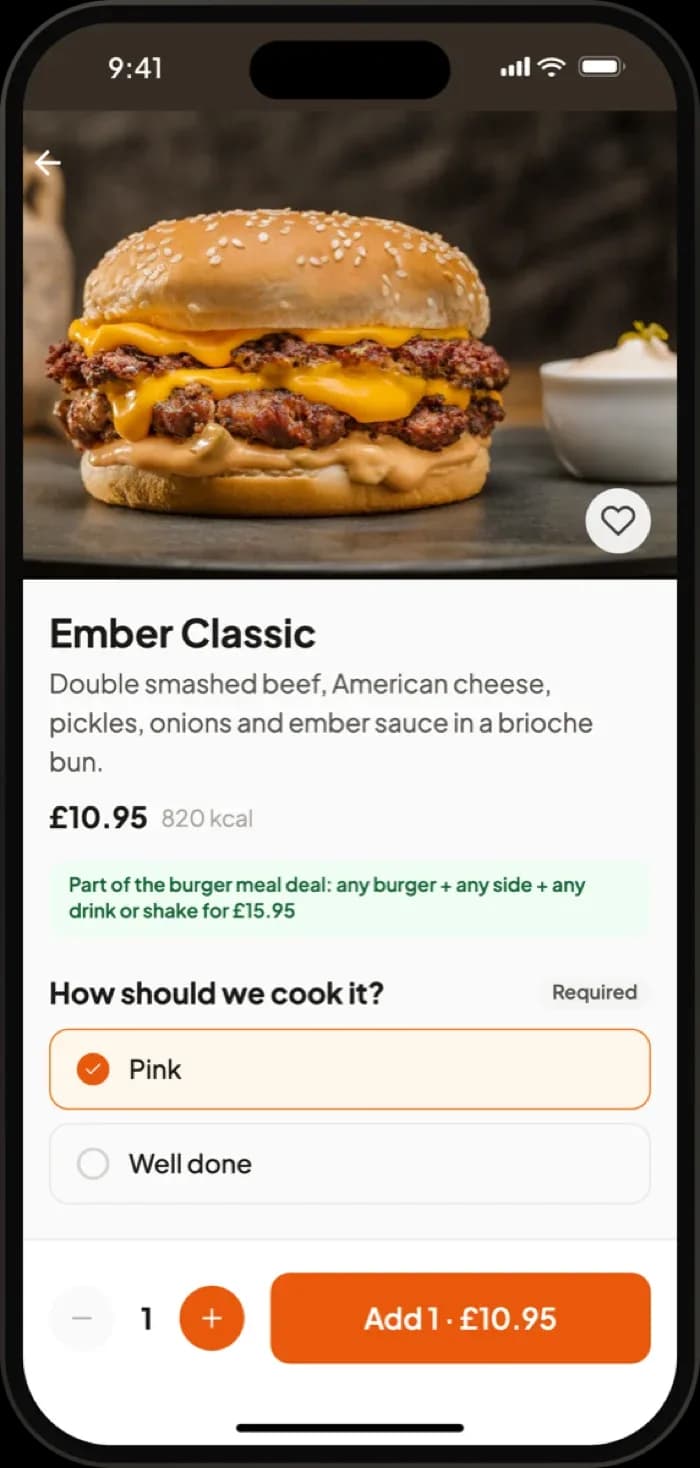
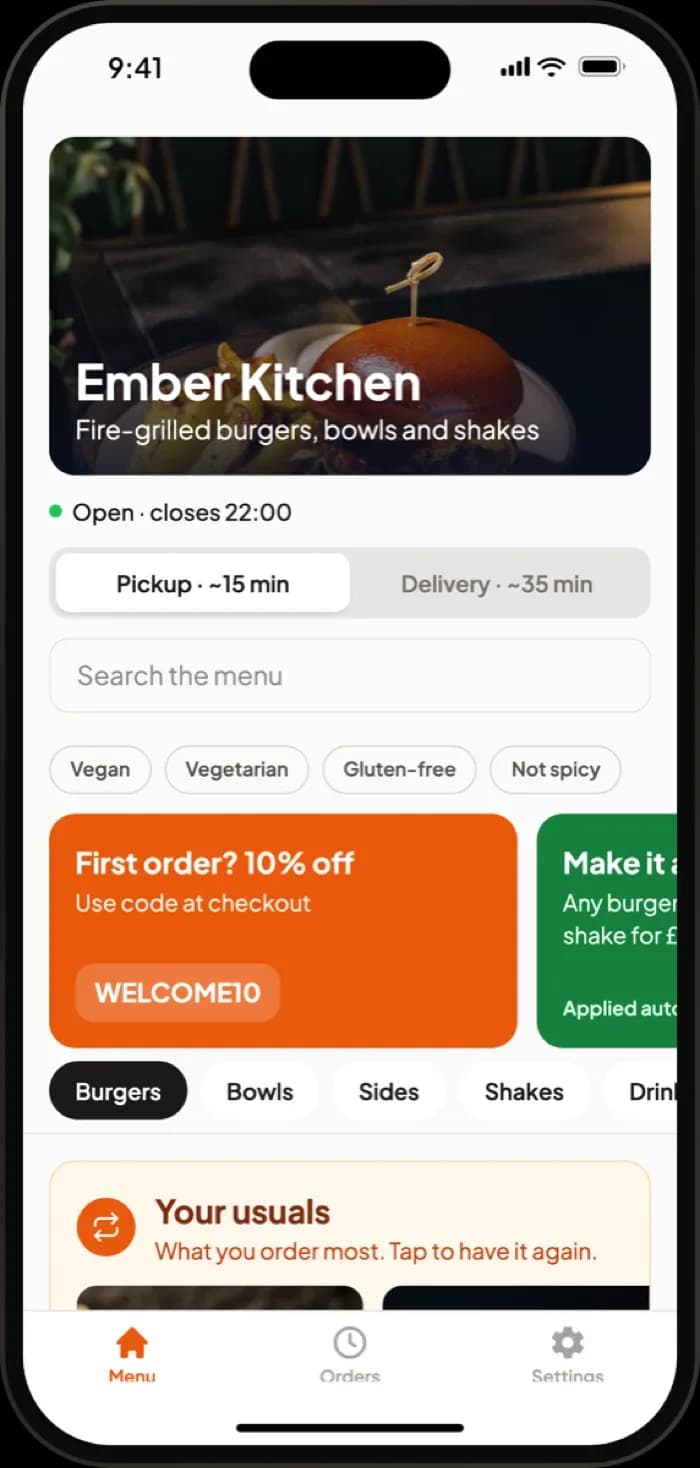
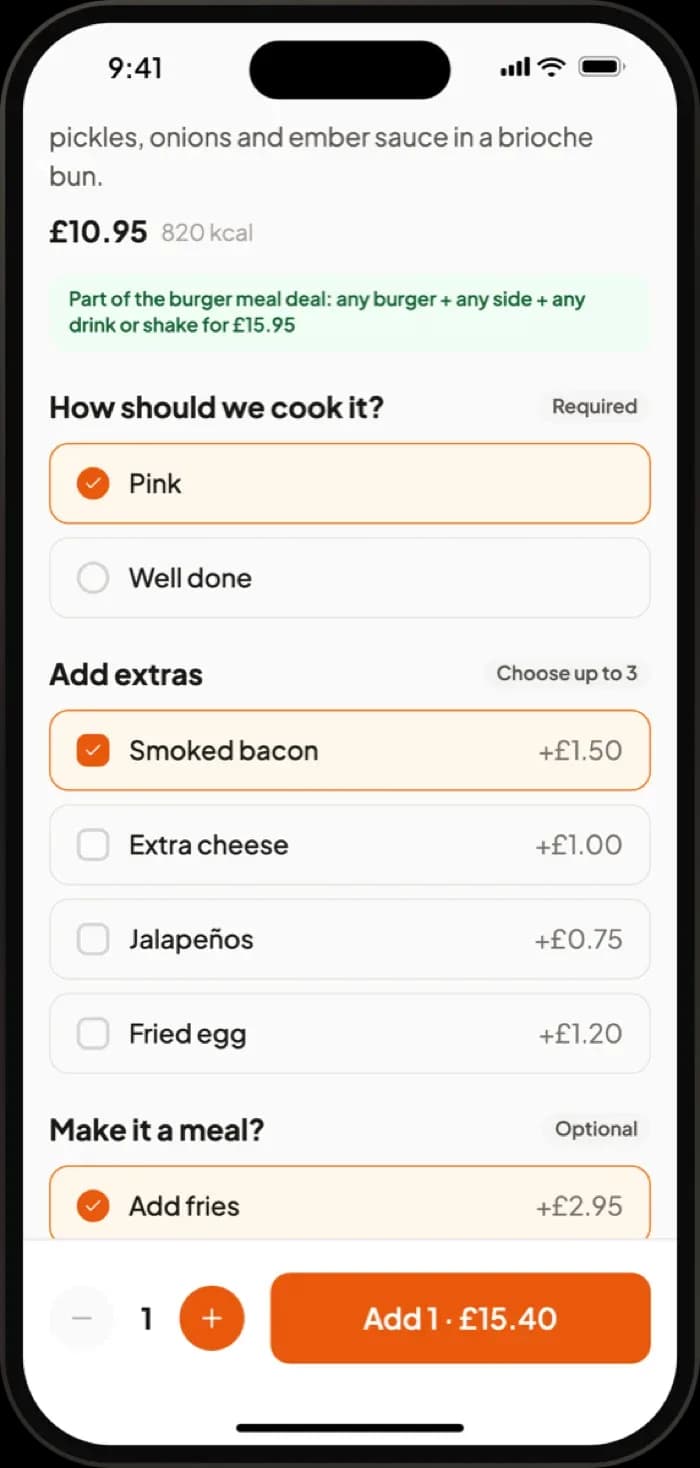
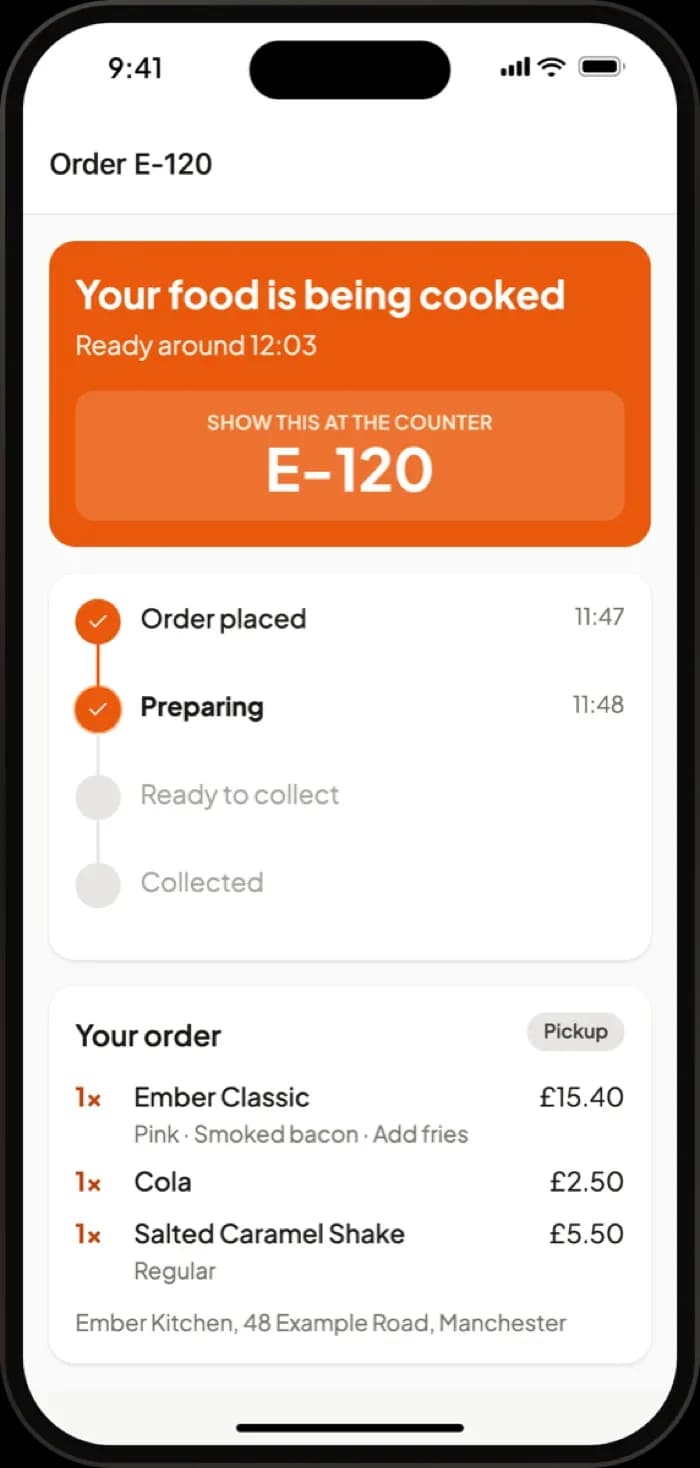
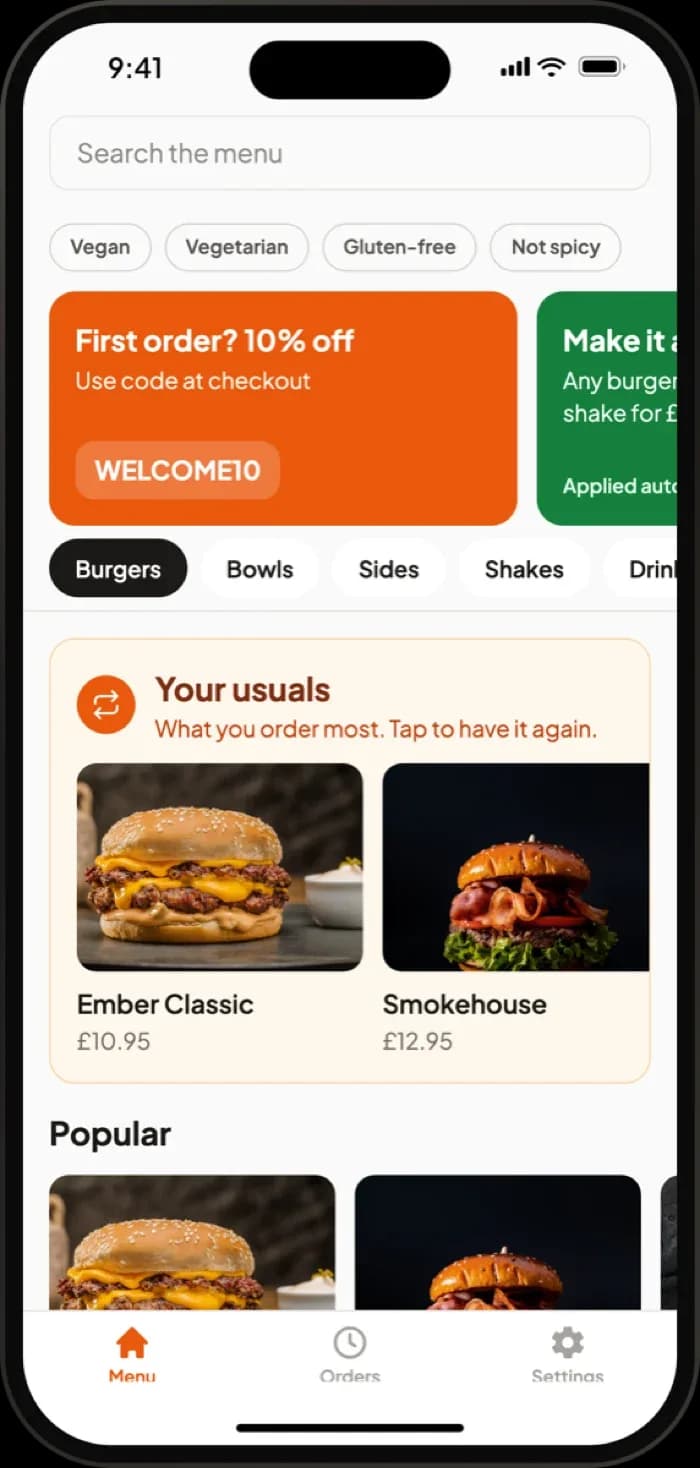
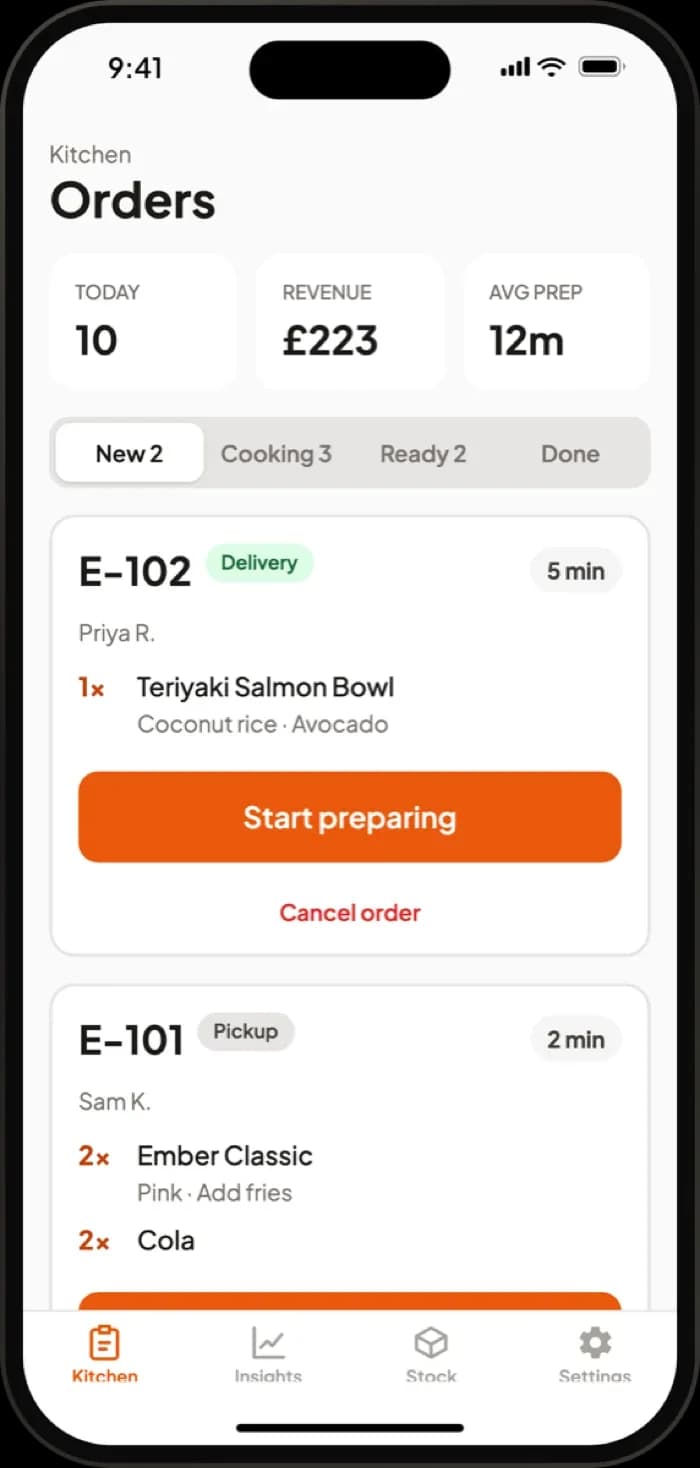
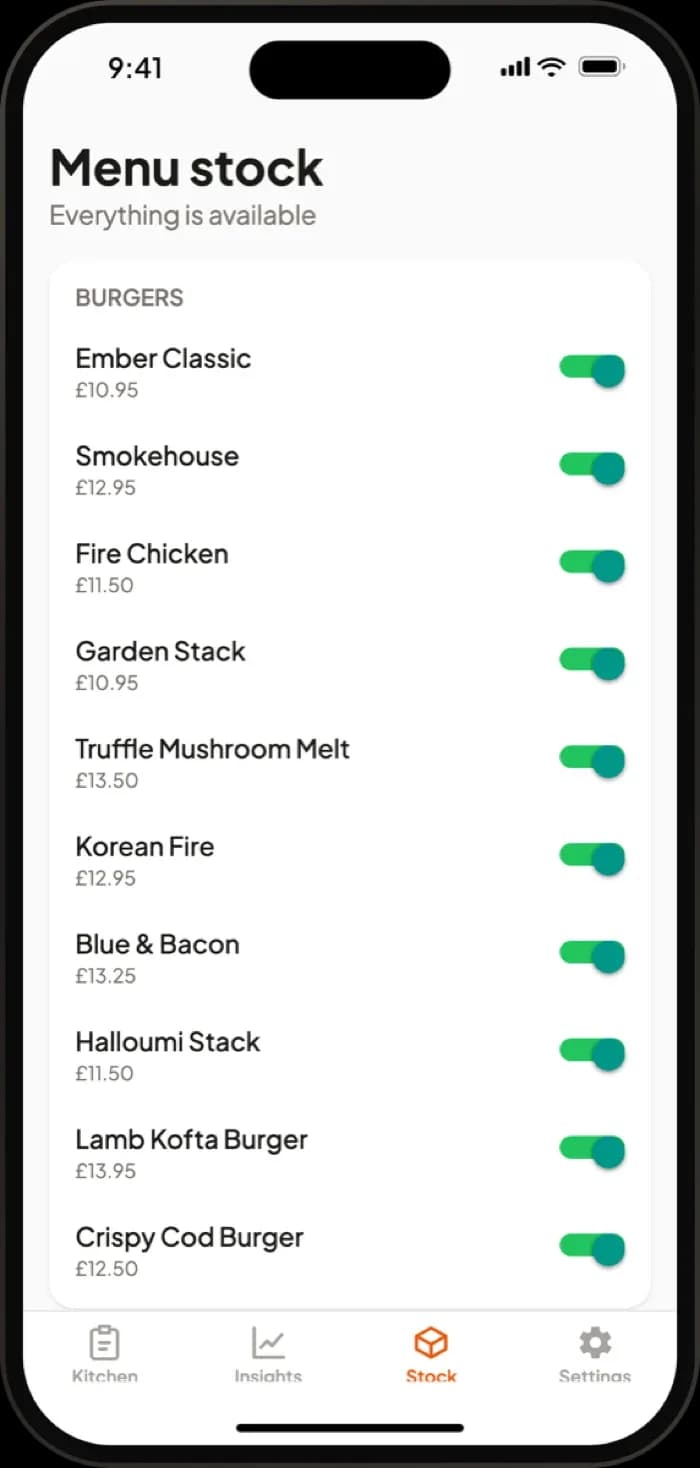
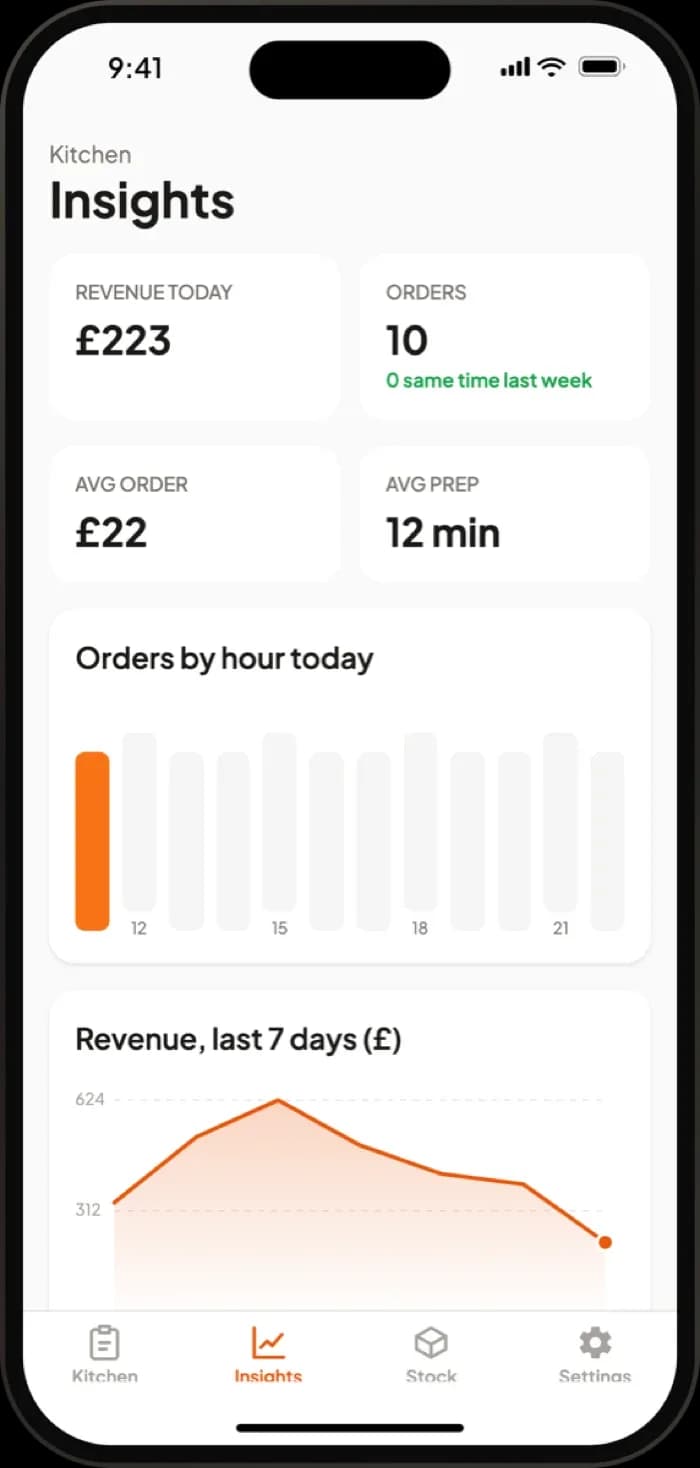
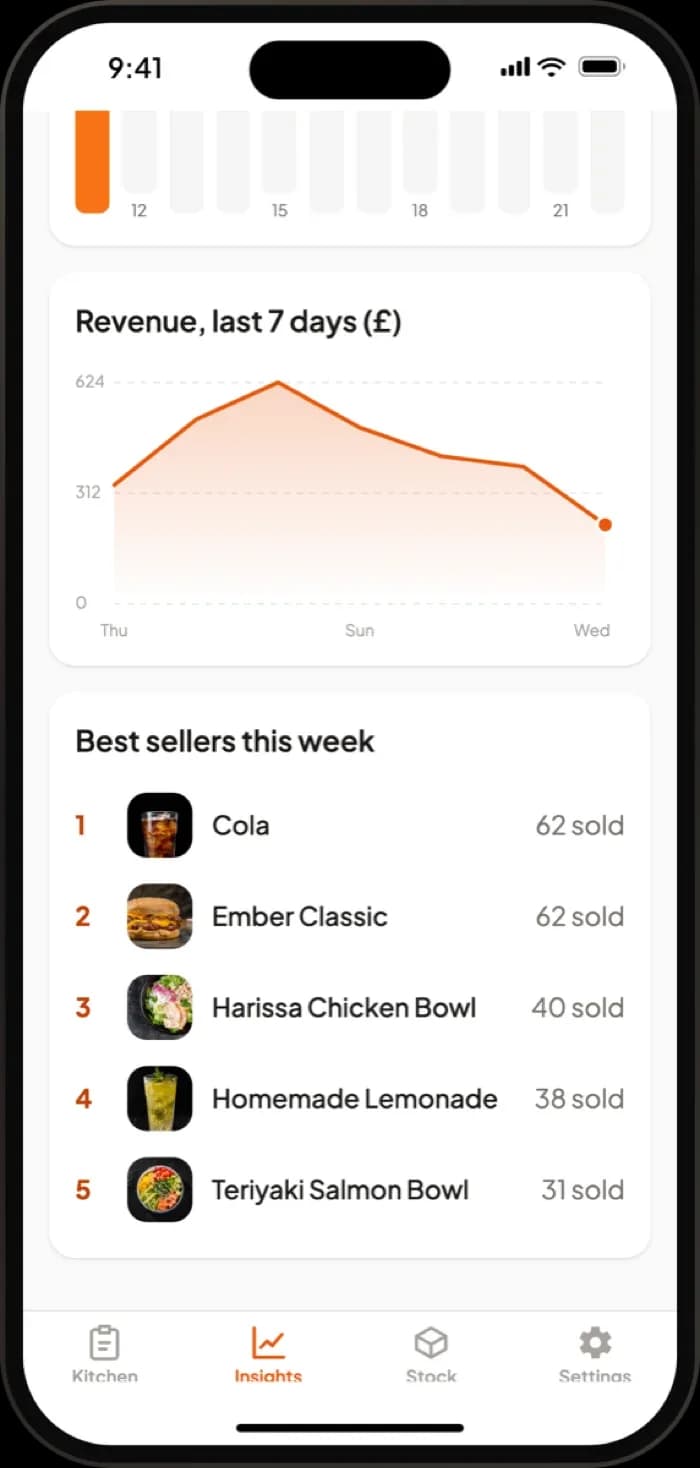
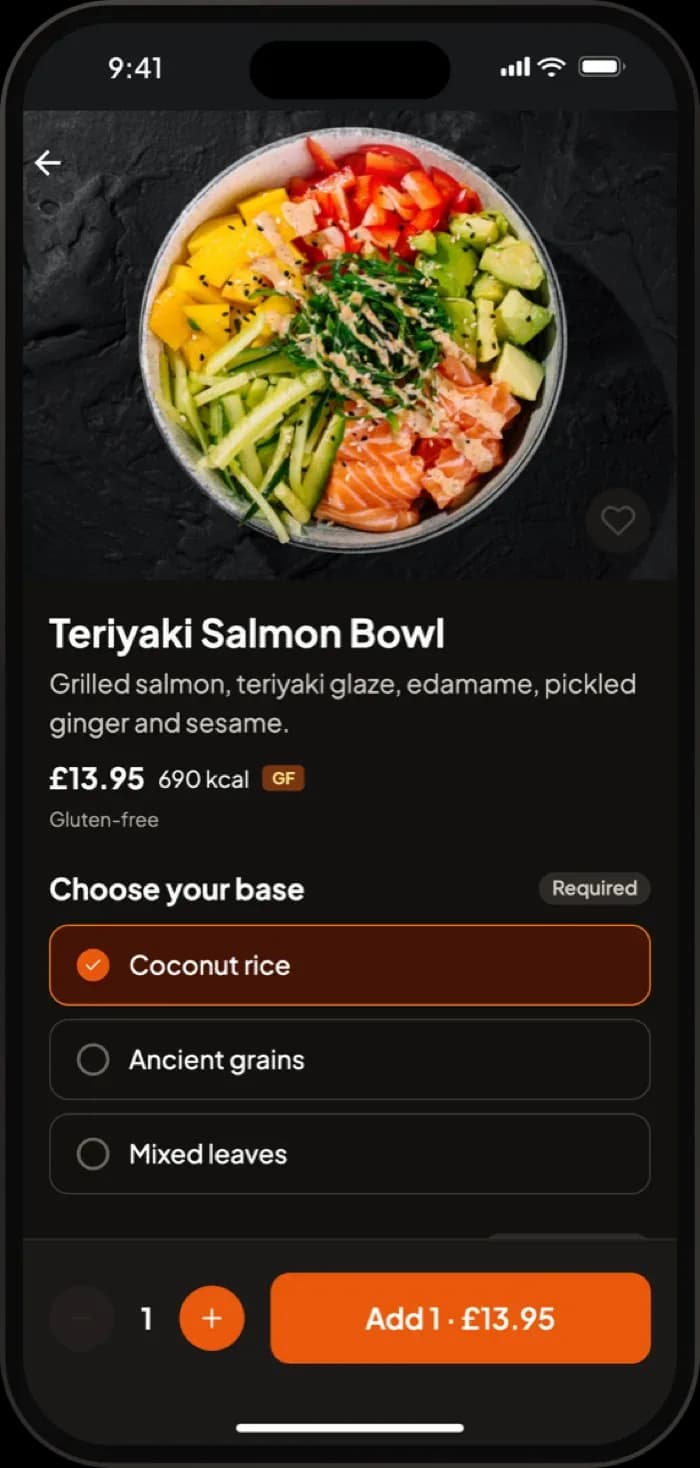
Customers browse a photo menu, customise dishes with live pricing, pay, and follow their order live. Kitchen staff run service from an order board, switch dishes off when they run out, and see how the day compares with last week.
< 1 min
From opening the app to a placed order
10
Screens: 8 for customers, 2 for the kitchen
116
Unit tests, plus a database test in Docker
3
Platforms from one codebase
ORDERING
FOR CUSTOMERS
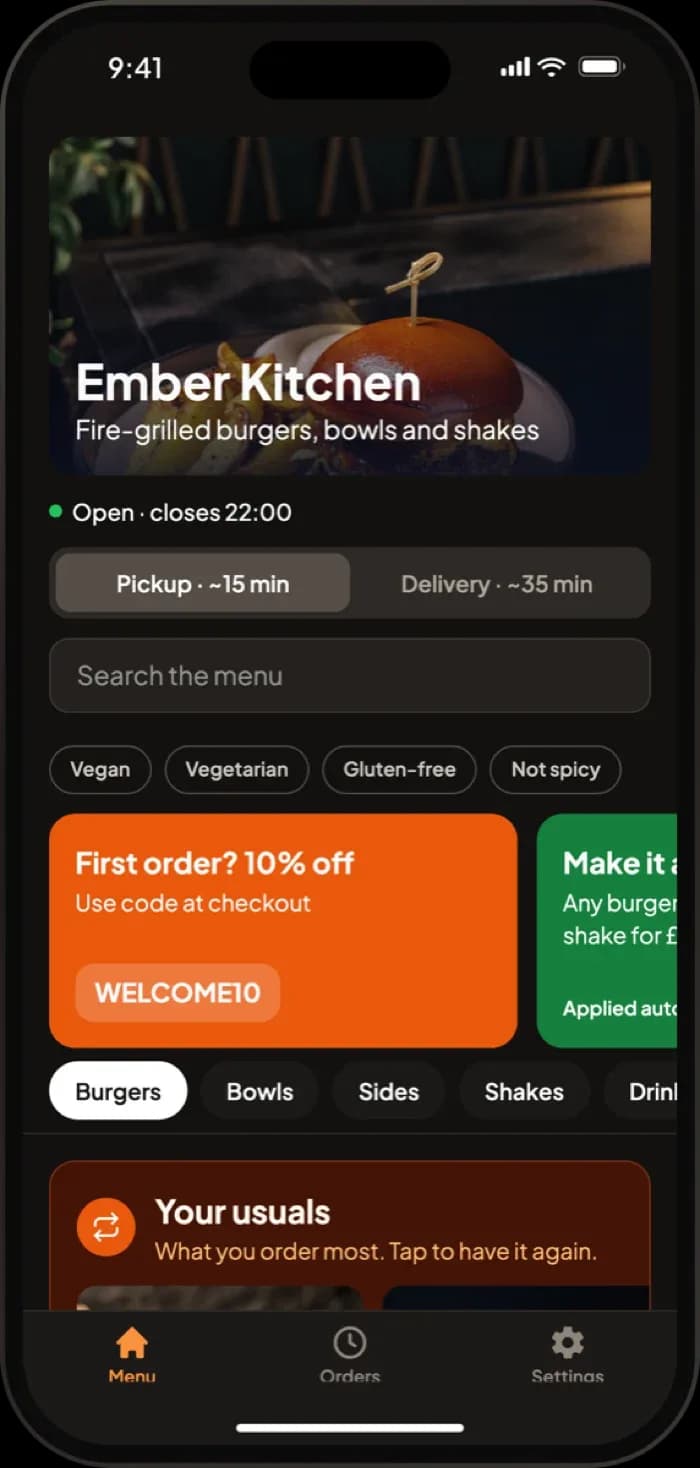
From craving to checkout in four taps
KEEP THEM COMING BACK
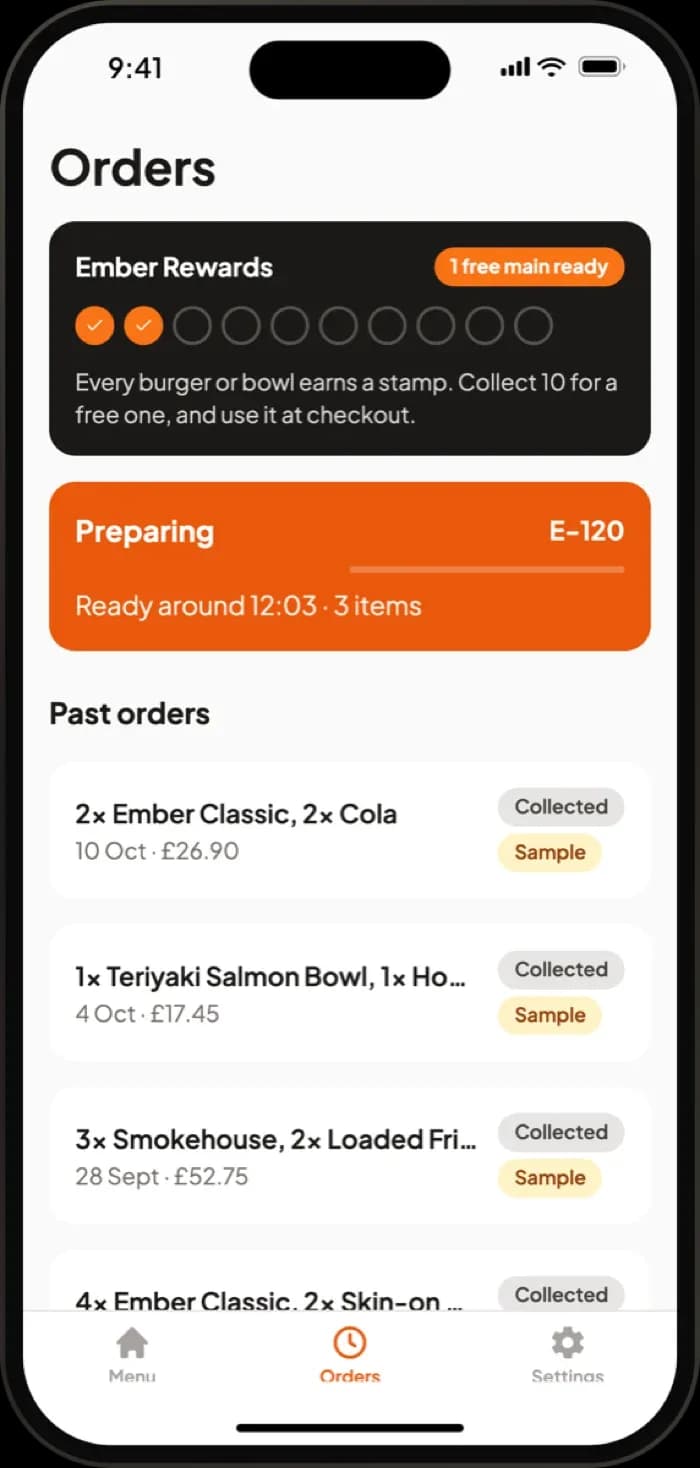
Built for the second order, not just the first.
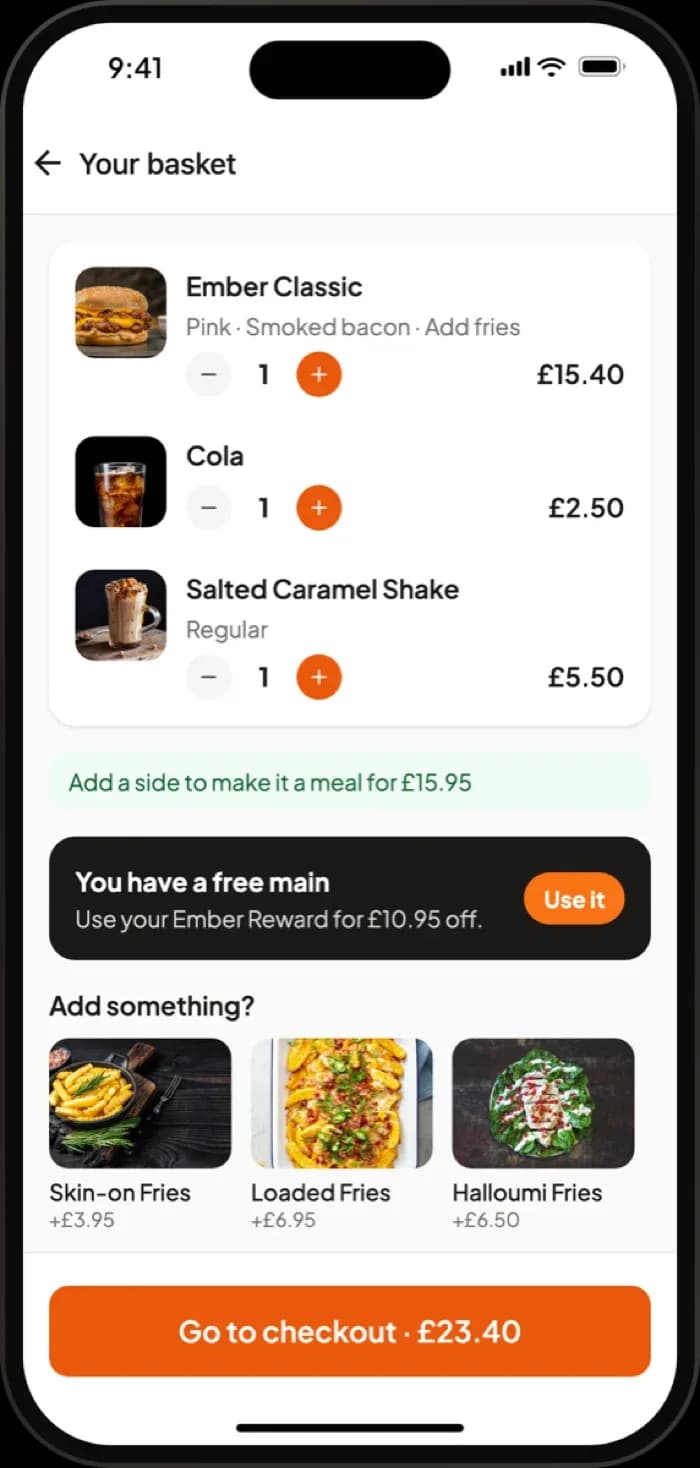
- Meal deal
- Any burger, side and drink for £15.95, applied automatically in the basket.
- Ember Rewards
- A stamp for every burger or bowl. Ten earn a free main, claimed in the basket.
- Your usuals
- Favourites and the dishes you order most, ready to reorder in one tap.
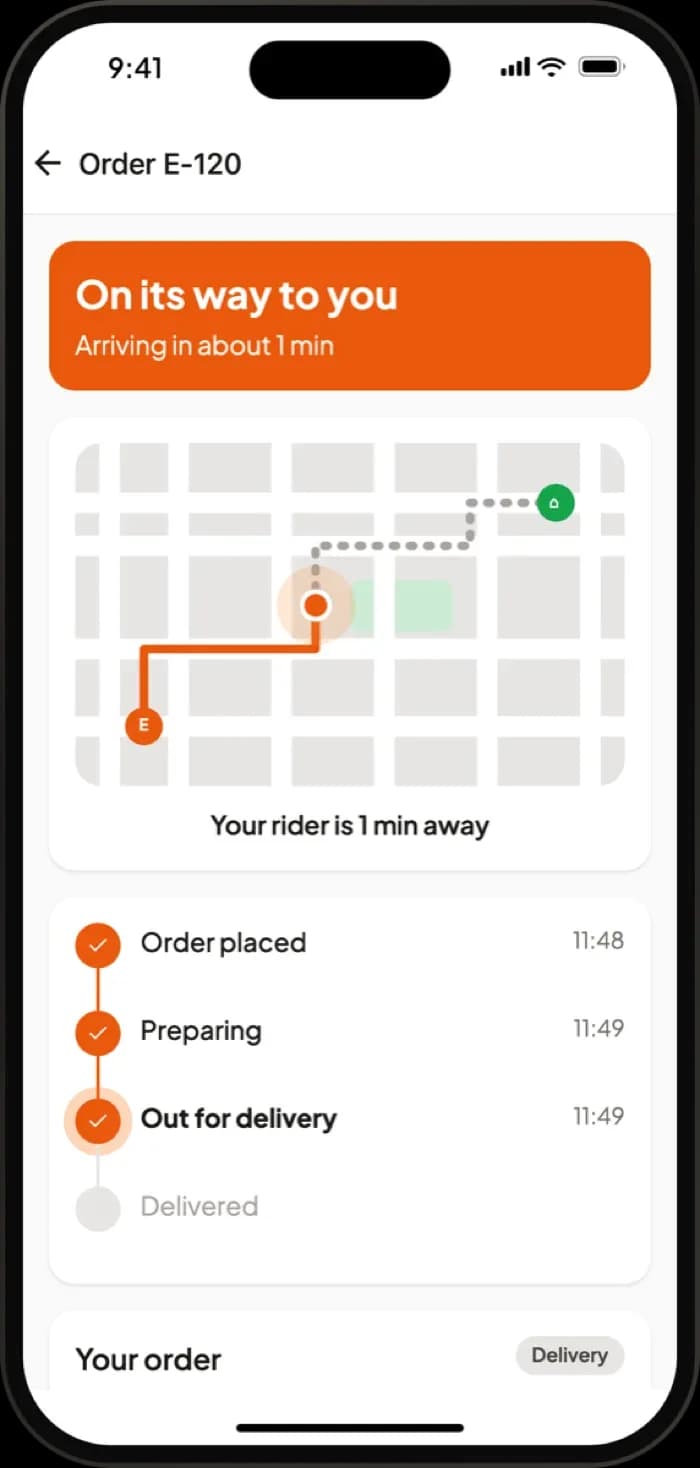
- Delivery map
- A live map of the rider on the way to your door, with a countdown.
KITCHEN
FOR KITCHEN STAFF
Run service from the same app
ENGINEERING
UNDER THE HOOD
Rules the server enforces, not just the app
Pricing you can trust
Option rules, add-ons, fees, minimums and promo codes are pure, tested functions. The database runs the same rules again, so the price charged is always computed on the server.
A real order lifecycle
Separate pickup and delivery flows. Staff move an order one step at a time, and customers can cancel only before cooking starts. Both are enforced in the database.
Realtime
The tracker, the delivery map and the kitchen board update instantly through Supabase Realtime. In demo mode, a kitchen simulator plays the same role.
Offers you can't game
The meal deal and loyalty reward are applied on the server too, which checks the reward was really earned. They can't be stacked on the same burger.
Private by default
Row-level security means customers only ever see their own orders. Orders can't be inserted or edited directly.
Tested
116 unit tests, plus a Docker test that applies the migration to a real Postgres and checks every pricing and permission rule.
DETAILS
Finished like a product, not a prototype.
Every screen has loading, empty and error states, plus dark mode. Parallax dish photos, a bouncing basket badge, a heart that pops and haptics make it feel alive. It's built on IPEX SOFT's shared starter, the same foundation we use for client projects.
Let’s Build Something Great Together
Need a mobile app for ordering and payments? Let’s build it.
Tell us what you need and we'll reply within one working day.
More work